

Scaling your business across borders? You’re going to need more than just a good product—you’ll need seamless, reliable communication tools that move as fast as you do. As international entrepreneurs, we know that every call, message, or missed connection can make or break a deal. That’s where the right combination of digital tools—especially those leveraging eSIM voice and messaging features—becomes a game-changer. In this how-to guide, we’ll break down the top platforms tool-by-tool so you can simplify the tech, maximize results, and focus on growth.
What Exactly Are eSIM Voice and Messaging Features?
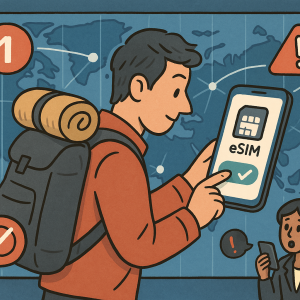
Let’s quickly lay the groundwork. An eSIM (embedded SIM) allows you to activate a cellular plan without having to swap physical SIM cards. More than just convenience, today’s eSIMs offer robust voice calling and messaging capabilities, letting you work and stay connected globally on your own terms. Platforms like esimm8.com are leading this innovation with flexible, multi-country plans that support your digital business lifestyle.
Tool 1: WhatsApp Business
Best for: Lightweight customer conversations and quick updates.
WhatsApp Business provides an easy gateway to keep in touch with global customers. You can set quick replies, label chats, and create a simple business profile. However, it relies heavily on internet connectivity and doesn’t replace the professionalism or capabilities of a full-featured phone system.
Pro: Low barrier to entry, global reach, supports messaging automation.
Con: Requires constant internet, lacks number portability and formal calling infrastructure.
Tool 2: Google Voice
Best for: Solopreneurs managing multiple numbers with a U.S.-centric client base.
Google Voice offers U.S. phone numbers and can forward calls to different devices. It’s cloud-based and offers voicemail transcription, which is a handy productivity feature.
Pro: Seamless integration with Google Workspace, useful for freelancers and consultants.
Con: Limited global support, not suitable for entrepreneurs needing a truly international number or SIM-based service.
Tool 3: Skype for Business / Microsoft Teams
Best for: Established teams that need collaboration tools alongside communication.
These tools integrate chat, video conferencing, and VoIP. Microsoft Teams, in particular, allows digital entrepreneurs to manage conversations in a corporate-structured format.
Pro: Unified communication with strong enterprise support.
Con: Heavier tech stack, may be overkill for mobility-focused entrepreneurs.
Tool 4: Zoom Phone
Best for: Entrepreneurs who already use Zoom and want to consolidate.
Alongside video conferencing, Zoom Phone offers a cloud-based phone system. It gives you the ability to make and receive calls using VoIP technology across numerous devices.
Pro: Integrated environment for calls, video, and messaging all-in-one.
Con: Still lacks the native cellular integration that eSIM platforms offer.
Tool 5: esimm8.com
Best for: Entrepreneurs who travel frequently or manage global teams, and need local numbers with mobile-first adaptability.
esimm8.com goes beyond traditional VoIP or data-only providers by offering eSIM voice and messaging features across multiple regions. That means you get local phone numbers in key markets without juggling SIM cards or roaming charges.
Pro: True cross-border communication control, instant activation, maintain one device and one number (or multiple!) worldwide.
Con: Requires a compatible eSIM device—though most modern phones already support it.
How to Choose: A Strategic Comparison
Still unsure which option is best for your unique setup? Here’s a quick decision matrix to simplify things:
- If your goal is deal-making while on the move → Choose esimm8.com for real-time, SIM-level communication.
- If you need cheap text-only tools → WhatsApp Business covers casual connections.
- If your client base is U.S.-centric → Google Voice is lightweight and effective.
- If collaboration is the priority → Microsoft Teams or Zoom Phone centralizes your workflow.
Pro tip: Many successful entrepreneurs combine tools. Use WhatsApp for follow-ups, Zoom for meetings, and esimm8.com for carrier-grade voice calls across continents.
Setting Up with esimm8.com: Step-by-Step
- Select your region(s): Pick the countries where you need a local number or mobile presence.
- Install your eSIM: Activate directly from your device without visiting a store. Most modern smartphones support eSIM.
- Enable voice and messaging features: Configure your inbound and outbound calling, SMS/MMS, and voicemail settings.
- Start connecting: Use your new local phone number like a native—whether you’re in Tokyo, Berlin, or Sydney.
That’s it—global communications on your terms, without the wire-tangling headaches.
Why eSIM Voice and Messaging Features Are the Future
Unlike web-based tools that depend on Wi-Fi or complex routing, eSIM voice and messaging features give you carrier-level capabilities with unmatched mobility. The future is unified digital identity across borders—and eSIM is the passport. With esimm8.com, you’re not just buying data, you’re investing in a scalable, mobile-ready business infrastructure.
Bottom line: If you’re an entrepreneur playing in the global sandbox, the tools you use matter. And when you need simplicity, professionalism, and tech that evolves with your growth, esimm8.com is where the rubber meets the road.
Ready to ditch the SIM swap, roaming fees, and tech headaches? Try it risk-free and take your business mobile with eSIM voice and messaging features that actually work—wherever you work.