
As a remote worker, your ability to communicate effectively can make or break your day. Whether you’re juggling client meetings across time zones or collaborating with a global team, finding the right communication tools isn’t just helpful—it’s essential. At esimm8.com, we understand that staying connected isn’t just about Wi-Fi; it’s about choosing the tools that fit your workflow and empower your digital identity. Let’s break down the top communication platforms to help you find your perfect match.
Slack: The Virtual Water Cooler
Slack has become the go-to for remote teams who love instant messaging combined with a bit of personality. Conversations are organized into channels, making it easy to segment discussions by project or team.
Pros: User-friendly, great integrations, searchable message history
Cons: Can feel noisy, especially in large teams
Slack is ideal for teams that need fast, organized internal communication but may not be the best solution for in-depth project tracking alone.
Microsoft Teams: For the Microsoft Ecosystem
If your organization already uses Office 365, Teams might be your smoothest route. It combines chat, video calls, and file sharing into one cohesive experience.
Pros: Deep Office integration, meeting scheduling, robust compliance features
Cons: Can be clunky for new users, best with full Microsoft suite
This is a solid pick for enterprise-level teams that prioritize security and document collaboration.
Zoom: The Video Conference King
Zoom surged in popularity during the pandemic—and for good reason. It’s dependable for large meetings, webinars, or even a quick team huddle.
Pros: High-quality video, breakout rooms, webinar capabilities
Cons: Limited collaboration features beyond meetings
Zoom is your best friend for face-to-face connection, but you’ll probably need additional tools for daily discussions and project work.
Google Meet: Streamlined and Simple
Part of Google Workspace, Google Meet is perfect for teams that live in Google Docs and Sheets. It’s not overly fancy but gets the job done.
Pros: Easy access via calendar, no downloads required, good security
Cons: Fewer advanced features, can require Google account
For freelancers or small teams already using Gmail and Google Calendar, this could be your seamless solution.
Notion: Collaboration Meets Communication
Notion is more than a doc editor—it’s a digital workspace where conversation intersects with content creation. While not a chat app per se, it’s an underrated communication tool for remote work.
Pros: Workspaces for everything from wikis to meeting notes, comments and mentions help keep everyone aligned
Cons: Not real-time chat, learning curve for beginners
If you’re looking to blend communication and documentation, Notion might be the holistic tool you didn’t know you needed.
Don’t Forget Your Digital Identity: The Role of eSIM
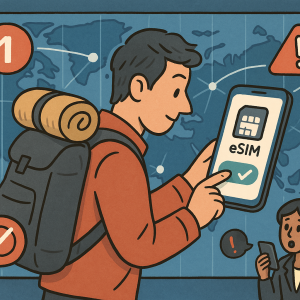
Now, here’s a piece of the puzzle you might be missing—identity and connectivity on the go. With esim with identity and communication tools from esimm8.com, staying connected abroad or while changing locations has never been simpler. Imagine landing in a new country and instantly having access to local data and secure communication, all controlled via your eSIM profile.
For digital nomads, this means flexibility, security, and a continuous connection with your clients and teams—no matter where you are.
Tool-by-Tool Comparison Summary
| Tool | Best For | Main Strength | Considerations |
|---|---|---|---|
| Slack | Daily team messaging | Speed + integrations | Can get overwhelming |
| Microsoft Teams | Microsoft-heavy workflows | Comprehensive features | Steep learning curve |
| Zoom | Video calls and webinars | Reliability | Not for ongoing dialog |
| Google Meet | Gmail & Calendar users | Simplicity | Limited extras |
| Notion | Docs + task collaboration | All-in-one workspace | Less real-time chat |
Final Thoughts
There’s no one-size-fits-all when it comes to communication tools. Your ideal setup depends on how your team works, where you’re located, and the kind of projects you manage. Whether you’re leading a project from your Bali bungalow or taking client calls from a Lisbon café, combining the right communication tools with an eSIM solution that supports your digital identity can seriously upgrade your remote work life.
Want to see how esimm8.com can power your remote routine? Contact us for a demo and let’s get you connected with confidence.